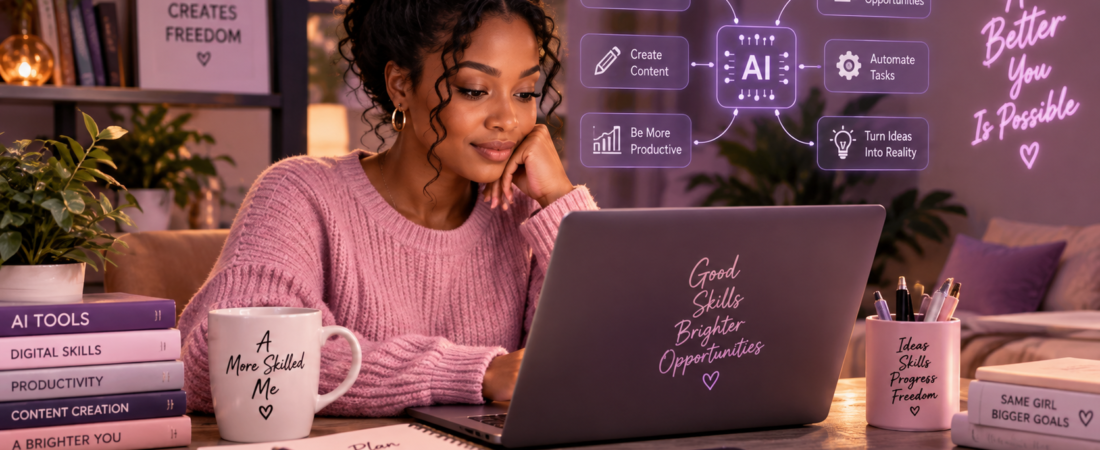
Artificial intelligence is no longer just something used by technology companies or software developers.
In 2026, AI tools can help people learn new skills, research information, create content, analyse data, organise their work, write and edit documents, generate images and videos, build websites, write code, and automate parts of everyday workflows.
But knowing that AI exists is not enough.
The real advantage comes from learning how to use it thoughtfully.
AI literacy is becoming an important part of digital literacy, while skills such as analytical thinking, creativity, adaptability and lifelong learning continue to matter alongside technology skills.
This guide explores practical ways beginners can use AI to develop digital skills, improve productivity and create new possibilities online.
1. Use AI as a Learning Assistant
One of the simplest ways to use AI is as a personal learning assistant.
Instead of searching through dozens of websites whenever you are confused about a topic, you can ask an AI tool to explain the subject in simpler language, give examples, create exercises or help you practise.
For example, you can ask:
“Explain digital marketing to me like I am a complete beginner. Give me three practical examples.”
You can also use AI to:
- Create study plans
- Explain difficult concepts
- Generate practice questions
- Summarise information
- Create flashcards
- Help you practise a new language
- Review your understanding of a topic
- Give you examples and exercises
The goal should not be to let AI do all your learning for you.
Use it as a learning partner, while you still think, question, practise, and verify information.
2. Build Digital Skills with AI
Digital skills are becoming increasingly important across many types of work.
The World Economic Forum’s Future of Jobs Report 2025 identifies AI and big data, networks and cybersecurity, and technological literacy among the fastest-growing skill areas expected through 2030. It also highlights creative thinking, resilience, flexibility, curiosity and lifelong learning.
AI can help you learn many of these skills.
For example, you can use AI to practise:
Writing:
Ask AI to help you improve grammar, structure and clarity.
Research:
Ask it to help you organise questions, compare information and identify areas you need to investigate further.
Data analysis:
AI tools can help explain spreadsheets, identify patterns and assist with calculations and charts.
Coding:
Beginners can use AI to explain programming concepts, troubleshoot errors and build small projects.
Design and content creation:
AI can help with brainstorming, image generation, video ideas, scripts and creative concepts.
Productivity:
AI can help turn notes into action lists, organise information and create workflows.
The important skill is learning how to direct and evaluate AI, not simply knowing how to open an AI tool.
3. Turn Ideas into Content
AI has made it easier for individuals to move from an idea to a finished piece of content.
A creator can start with a simple idea and use AI to help develop:
- Blog post outlines
- Social media captions
- Video scripts
- Newsletter ideas
- Content calendars
- Presentation structures
- Images
- Short-form video concepts
- Headlines and hooks
For example, instead of asking:
“Give me content ideas.”
You could give AI more useful information:
“I run a beginner-friendly digital skills blog. Give me 10 Instagram carousel ideas for women who want to learn AI but feel overwhelmed by technology. Make each idea practical and easy to understand.”
The more context you provide, the more useful the response can become.
However, your experience, personality, and judgment are what make the final content yours.
4. Use AI to Improve Your Work
AI can also help with everyday professional tasks.
For example, a virtual assistant, freelancer, blogger or small business owner could use AI to help:
- Draft customer-service responses
- Organise meeting notes
- Create standard operating procedures
- Summarise documents
- Prepare research briefs
- Analyse simple datasets
- Draft proposals
- Create checklists
- Brainstorm solutions
- Organise projects
AI agents are also becoming more capable of handling longer, multi-step digital tasks by using tools, interacting with software, and iterating toward a result.
This means the future of AI is moving beyond simply asking a chatbot a question.
Increasingly, people will need to understand how to design workflows where AI helps complete a series of connected tasks.
5. Create Small AI-Powered Projects
You don’t have to be a programmer to start experimenting with AI.
You can begin with a small project.
For example:
Project 1: Personal learning assistant
Create a simple system that helps you study a subject by generating summaries, questions and revision exercises.
Project 2: Content assistant
Create a workflow that turns one blog topic into a blog outline, social media ideas and an email newsletter.
Project 3: Small-business assistant
Create templates that help a small business respond to common customer questions.
Project 4: Research assistant
Use AI to organise research questions, summarise documents and create a structured research brief.
Project 5: Website project
Use AI-assisted website builders or coding tools to turn an idea into a simple website or online resource.
These projects give you something more valuable than simply saying, “I know how to use AI.”
They give you something you can actually demonstrate.
6. Learn Prompting — But Don’t Stop There
Prompting is the process of giving an AI system instructions that clearly communicate what you want.
A basic prompt might be:
“Write a blog post about AI.”
A more useful prompt provides context:
“Write a 1,000-word beginner-friendly blog post explaining five practical ways women can use AI to develop digital skills. Use simple English, practical examples, and clear headings. Avoid exaggerated claims.”
Good prompting can help you communicate your goals, provide context, specify constraints and request the format you need.
But AI literacy is broader than prompt writing.
You also need to know:
- When AI is appropriate
- When it is not appropriate
- How to check AI-generated information
- How to protect private information
- How to recognise errors or hallucinations
- How to evaluate sources
- When human judgment is necessary
AI can produce a confident answer that is still wrong.
That is why verification remains part of the skill.
7. Combine AI Skills with Human Skills
AI does not make human skills irrelevant.
In fact, the changing workplace makes some human abilities even more important.
The World Economic Forum identifies analytical thinking, creativity, resilience, flexibility, leadership, empathy, curiosity and lifelong learning among important skills for the evolving workplace.
Think of it this way:
AI can help generate possibilities.
You decide which possibility makes sense.
AI can analyse information.
You decide what the information means for your situation.
AI can create a first draft.
You decide what deserves to be published.
AI can automate parts of a workflow.
You remain responsible for the outcome.
The valuable skill is increasingly the ability to combine technology + knowledge + judgment.
8. Use AI to Explore Online Opportunities
AI can also support people who want to build opportunities online.
Depending on your existing skills, you can use AI to explore areas such as:
- Freelancing
- Virtual assistance
- Customer support
- Content creation
- Blogging
- Digital marketing
- Online education
- Graphic design
- Website creation
- Research assistance
- Digital products
- Small-business services
For example, someone interested in virtual assistance could use AI to practise writing customer responses, create sample workflows, organise tasks and build a portfolio project.
Someone interested in content creation could use AI to brainstorm ideas, create content plans and improve their production process.
AI does not automatically create an income.
What it can do is reduce some of the time and effort involved in learning, creating, and experimenting.
The value still comes from solving a real problem for a real person or business.
9. Protect Your Information
Using AI responsibly also means thinking about privacy.
Before uploading information to an AI tool, consider whether it contains:
- Passwords
- Financial information
- Private customer information
- Identification documents
- Confidential business information
- Sensitive personal conversations
Do not assume that every piece of information should be given to an AI system simply because the system can process it.
Developing good AI habits includes knowing what not to share.
10. Start Small
You don’t need to learn 20 AI tools at once.
That can actually make learning more confusing.
Instead:
Choose one goal.
For example:
“I want to become better at creating content.”
Then choose one AI tool that can help.
Learn the basics.
Practise.
Build something.
Evaluate the result.
Then move to another tool when you have a reason to do so.
This approach helps you develop a skill rather than simply collecting AI tools.
A Simple 7-Day AI Skill Challenge
If you’re completely new to AI, try this:
Day 1 — Learn
Ask AI to explain one digital skill you want to understand.
Day 2 — Practise
Ask AI to give you a simple exercise.
Day 3 — Create
Use AI to help you create something small.
Day 4 — Improve
Take what you created and ask AI to suggest improvements.
Day 5 — Verify
Check the information AI provided against reliable sources.
Day 6 — Build
Turn what you’ve learned into a small project.
Day 7 — Reflect
Write down:
- What did I learn?
- What can I now do?
- What still confuses me?
- How could I use this skill in real life?
After seven days, you will have more than a collection of AI prompts.
You will have practical experience.
Conclusion
You don’t need to become an AI expert to benefit from artificial intelligence.
You need to become comfortable enough to understand what AI can do, where it has limitations and how to use it responsibly.
Start with one problem.
Learn one tool.
Build one small project.
Then keep improving.
As AI becomes more capable, the people who benefit from it will not necessarily be those who use the most tools. They will be people who can identify problems, ask useful questions, evaluate results, and apply technology to real situations.
AI is a tool. Your ability to think, learn, and use that tool well is the real digital skill.
Want to keep learning?
Explore more practical guides on De Digital Muse for AI, digital skills, content creation, online opportunities, and useful technology.